I’m back at it! I was on vacation in the Ardennes (Belgium) with my family and some friends. It was a bit rainy but we enjoyed all the outdoor time and fresh air.
Let's get to today's topic: AI players in Canvas Clash!
The issue
Canvas Clash has been out for about a year and has been one of the most popular games on the platform but it has always had one major drawback: the lack of AI players. In order to start playing, you must have at least 3 players which means you need at least 2 other people (or browser tabs) to give it a try. All the other games have the ability to add AI players so you can give the games a try. Canvas Clash poses a bit more of an issue as “drawing” isn’t the easiest thing for a computer to replicate.
Training an AI model
I toyed around with trying to train an AI model to re-create drawings via a prompt but explaining the format of the drawing was difficult. Here’s a small snippet of the json created when drawing an image in Canvas Clash:
{
  "lines": [
    {
      "points": [
        {
          "x": 194.81036376953125,
          "y": 62.68217468261719
        },
        {
          "x": 194.81036376953125,
          "y": 62.68217468261719
        },
        {
          "x": 182.20419311523438,
          "y": 62.68217468261719
        },
        ...more values...
      ],
      "brushColor": "#000000",
      "brushRadius": 2
    }
  ],
  "width": 370.8,
  "height": 370.8
}
This is a small portion of the data for creating a single black circle.
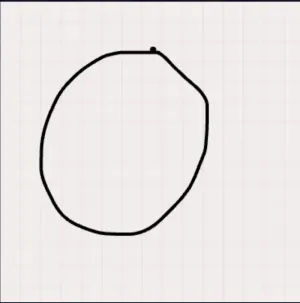
For those that have used AI extensively, you can imagine how many tokens it would eat just trying to get anything usable. Then it would use quite a lot more trying to generate data for “drawing” images and I’d need to manually check each one. That seemed like a dead-end for now. If prices come down, I may give that another shot but it seemed like a lot of effort (and money) for little gain.
Reusing Existing Drawings
I built a “review” feature in the user’s profile about 8-9 months ago. It allows a user to review previous games and scores but also “content” created in those games. At the moment, only Canvas Clash allows you to see drawings on a round by round basis. I wondered if it would be easy to “replay” these drawings as if they were done by an AI player.
User Profile Review
The data was there, but it was trapped in a specific game.
Decoupling drawings from the game
Previously drawings were tightly coupled to Canvas Clash rounds and served as a mechanism for “pairing” opposing players. If I wanted to reuse them, I would need to decouple them from the games themselves and only leave the word_id and drawing data linked. With a bit of refactoring in the code and the database, I can now reference the same canvas/drawing in multiple rounds/games etc. Player pairs are handled separately and the drawings are linked to the game rounds and players using other identifiers. Perfect! Now I can reuse that raw drawing data but I still had one problem…
Approval process
Given that some people don’t always draw the word that is assigned… and I want my platform to be safe for a younger audience… I knew I needed to include an approval process for the drawings that the AI could pull from. I built an Administrator page that allows me to review the drawings for all words. When a player draws a word, it is automatically added in the “PENDING” state. I can then either reject or approve the drawing to add it to the pool for the AI to use. This gives me more control over bad content but also helps make sure the drawings are “guessable”. Occasionally you get some drawings that were interrupted by players guessing too quickly and I wanted to be able to exclude those.
Here’s a small taste of the approval page:
Drawing Approval Page
The UI is a bit rough around the edges, but it works as an admin screen for me, so that is all that matters at the moment. It also helped me find words that didn’t have any drawing data.
Replaying the drawing
When a human player is drawing, you can see it come to life in real time. I wanted to replicate this for the AI players. The drawing data itself has coordinates and strokes but does not contain data about the timing. When an AI player “draws” something, the delay and timing need to be “faked” so it looks like it is being drawn in “real time”. If it draws it too fast, that would be unfair if they are matched against a human player. The AI strokes needed to be slowed down but still drawn in a reasonable amount of time. I wrote a quick algorithm to spread the strokes out over ~20-25 seconds. I’m still tinkering a bit with it to make it feel “right” so it favors a human player.
Missing words
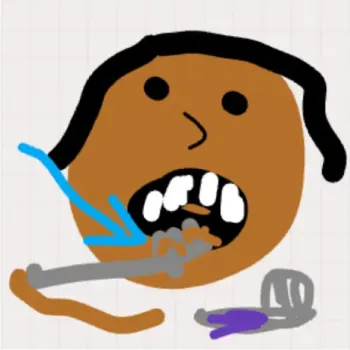
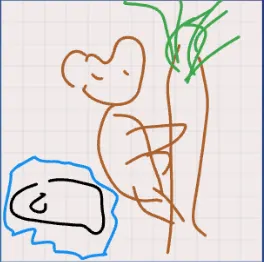
There were a few words from the initial content update that had zero drawings. I guess my random word selector isn’t as random as I had hoped (Thanks PostgreSQL). In order to play with AI players, I wanted there to be at least one drawing for every word. My solution was to allow myself to draw the words ad hoc if it was missing. Since the drawing data is decoupled from the game itself now, it was easy to save these quick doodles and approve them for use. As the platform gets bigger, I probably won’t need to use this much but for now it helps fill that gap. It is a bit amusing to me that my drawings may show up as “AI” drawings in your games later on. They may be seen all around the world. Be on the look out for these masterpieces:
Linking other languages?
For the initial word list, I created the same words in all languages (roughly speaking). Given that most of my games are played in English, most of the drawing data is associated to English words. If you play in French and want to try with AI players, there wouldn’t be any data to pull from. Luckily linking all the words to their English “parent” was fairly easy. Now you can play in all 9 languages and there will be some drawing data to pull from for AI “art” work.
| English | French | Spanish |
|---|---|---|
| Watermelon | Pastèque | Sandia |
All of these could pull from the “watermelon” pool of drawings.
Wrapping it up
In the end, I think this was a big win for the platform. Now all games can be played with one or more AI players. I actually found playing against the AI players to be quite fun since the drawings were made by people all around the world! It’s amazing to see everyone’s different techniques for drawing the same things. I also found out recently that it’s possible to add a bunch of AI players to a game when hosting via a ‘central screen’, join yourself, start the game and then leave. The AI players will keep playing amongst themselves until it reaches the round limit.
Next up: Finishing my Android TV app.